

Sometimes its easier for users to see the status of a record depending on an Icon. For example if you have multiple timer records and you want to see which one are running its easier to see when you have a pause or play icon in front of the name.
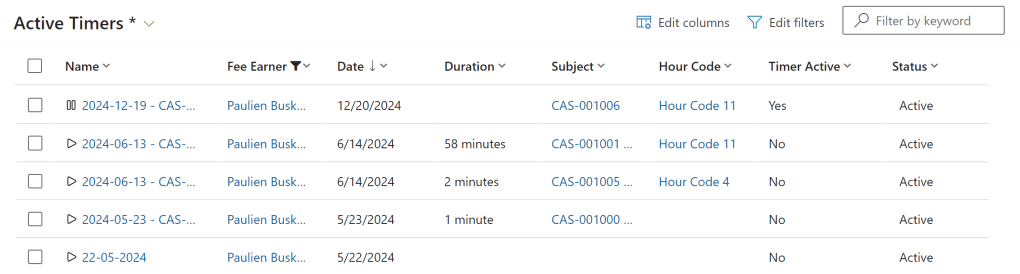
To be able to add icons to your view you need to add the icons you want as a web resource.
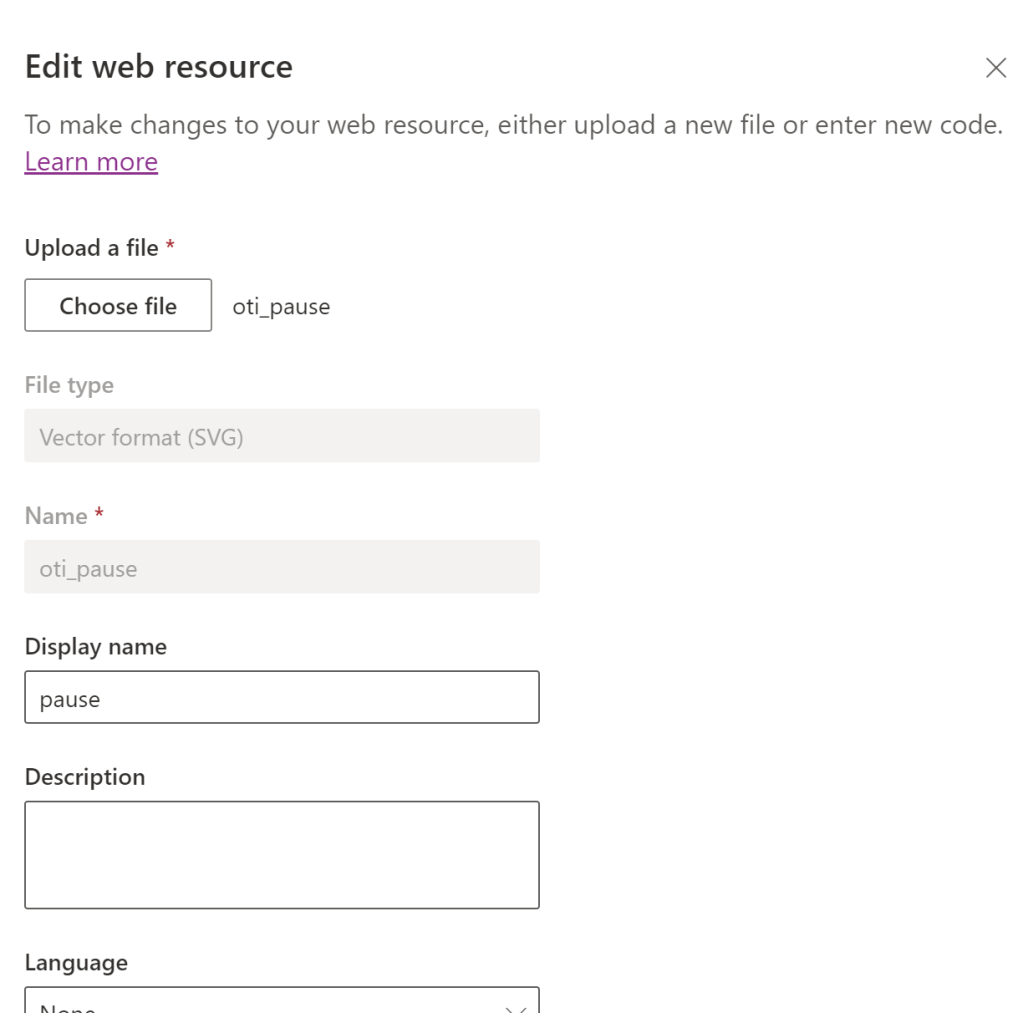
After you have added all the icons you want to use you can start writing the logic for showing the right icons. I use Typescript to wright me form scripts so if you use JavaScript its a bit different.
We are going to check if the value in the field “istimeractive” has the value “Yes” or “No”. If the value is “true “No” we are going to show the icon that we added as a web resource with the name “play”. If the value is not “No” the icon we are going to show is “pause”.
export function GetRowIcons(rowVal: any) {
    let imageName = "";
    let tooltipValue = "";
    let resultarray = null;
    try {
        const row = JSON.parse(rowVal);
        //get the Value of Custom Field (Column)
        const rdata = row.oti_istimeractive;
        if (rdata == "No") {
            imageName = "oti_play";
            tooltipValue = "Timer not running";
            console.log("Timer not running");
        } else {
            imageName = "oti_pause";
            tooltipValue = "Timer running";
            console.log("Timer running");
        }
        resultarray = [imageName, tooltipValue];
    } catch (e) {
        //Handle Error
    }
    return resultarray;
}
After this you need to upload the script to your solution. Once you have edit it you go to the view where you want to add the icons.
To be able to add the icons at the moment you need to switch to classic because its not yet possible in the modern editor.
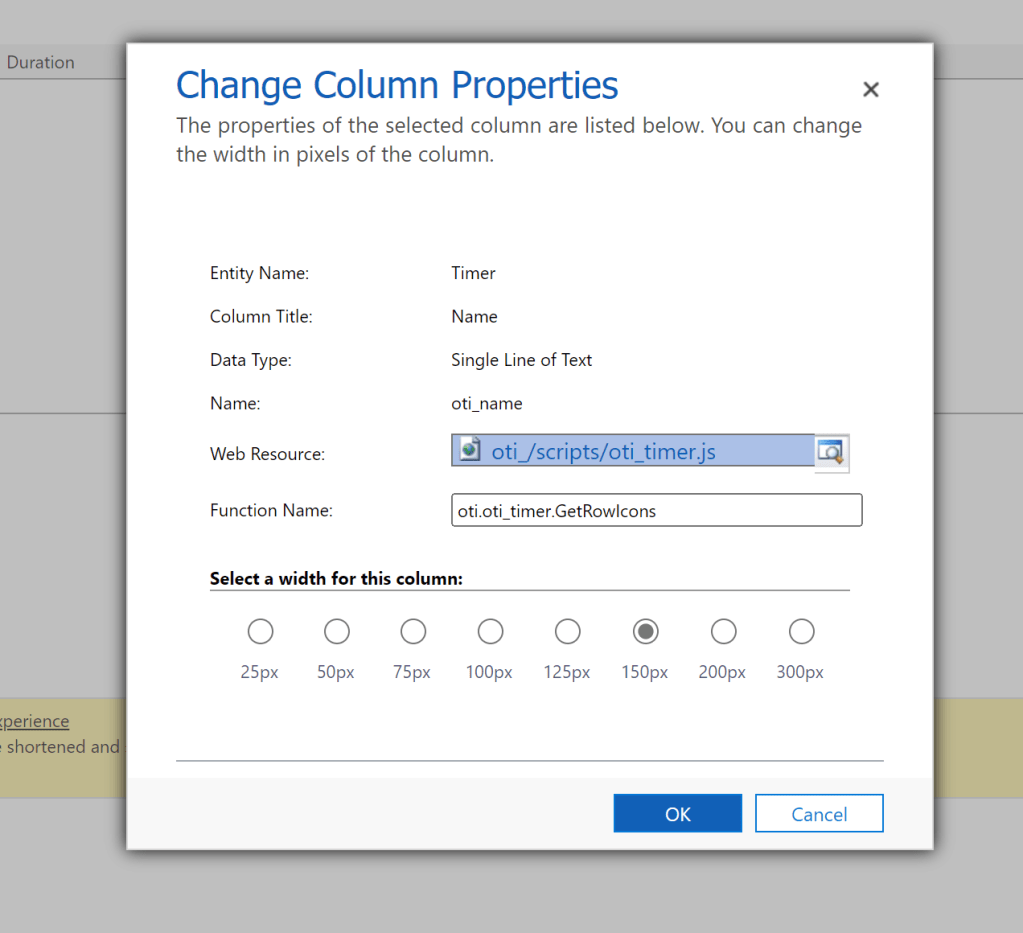
In the editor select the name column and select Change Column Properties.
In the Web Resource field find the script you just uploaded. In the Function Name field set the name of the function that you use in the formscript.
After you save everything you can go to the view en you can see the icons. Change the value of “istimeractive” to change the icons.
 Pauliens Blog
Plaats een reactie