

If you want to use MS Graph in your plugins its important to know that you need to use Plugin Packages to be able to add NuGet Packages to your project. If you haven’t worked with Plugin Packages you can learn to set them up here.
Setup App Registration
To be able to call the MS Graph API we need an app registration that has the right permissions. To find which permissions you need, you can use the Graph Explorer.
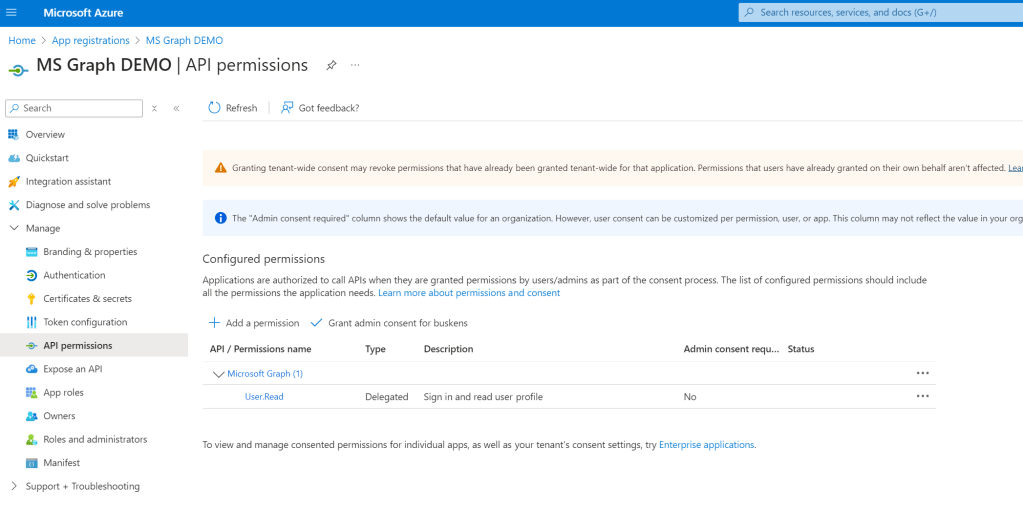
Go to Azure and create a new App registration, in the section “API Permissions” you can add the permissions that you need. Some permissions need admin consent, so don’t forget to give it or ask the admin to give consent.
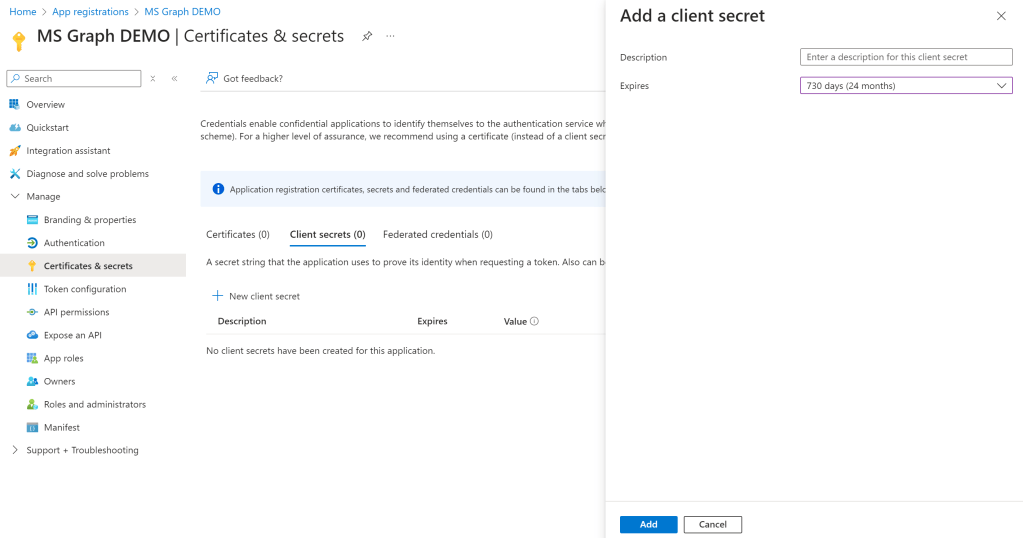
To be able to authenticate to the app registration you also need to create a Client Secret. Go to the “Certificates & Secrets” section and create a new client secret. Don’t forget to save the value because you can only see it once on creation. If you lose it you will have to create a new one.
Setup Graph Handler
First we are going to create a Helper to Authenticate to the Graph. For this we need to install the “Microsoft.Graph” NuGet Package. After this create a file file called GraphHelper.cs
public GraphHandler()
{
  string tenantId = "YOURTenantID";
  string clientId = "YOURClientID";
  string clientSecret = "YOURClientSecret";
  GraphClient = Create GraphClient(tenantId, clientId, clientSecret);
}
public GraphServiceClient GraphClient
{
get; private set;
}public GraphServiceClient CreateGraphClient(string tenantId, string clientId, string clientSecret)
{
TokenCredentialOptions options = new TokenCredentialOptions
{
AuthorityHost = AzureAuthorityHosts.AzurePublicCloud
};
ClientSecretCredential clientSecretCredential = new ClientSecretCredential(
tenantId, clientId, clientSecret, options);
string[] scopes = new[] { "https://graph.microsoft.com/.default" };
return new GraphServiceClient(clientSecretCredential, scopes);
}Make the Graph Call
Now that you are authenticated to the graph you can make the actual calls you want to make.Go to your plugin and call the GraphHandler Helper we created earlier to authenticate to the MS Graph.
var graphHandler = new GraphHandler();
When you for example want to delete a calendar item want to delete you can now call the graph using the GraphHandler.
await GraphClient.Users[mainOffice].Events[eventId].DeleteAsync();
 Pauliens Blog
Plaats een reactie